12 National STEM Day Activities for Students

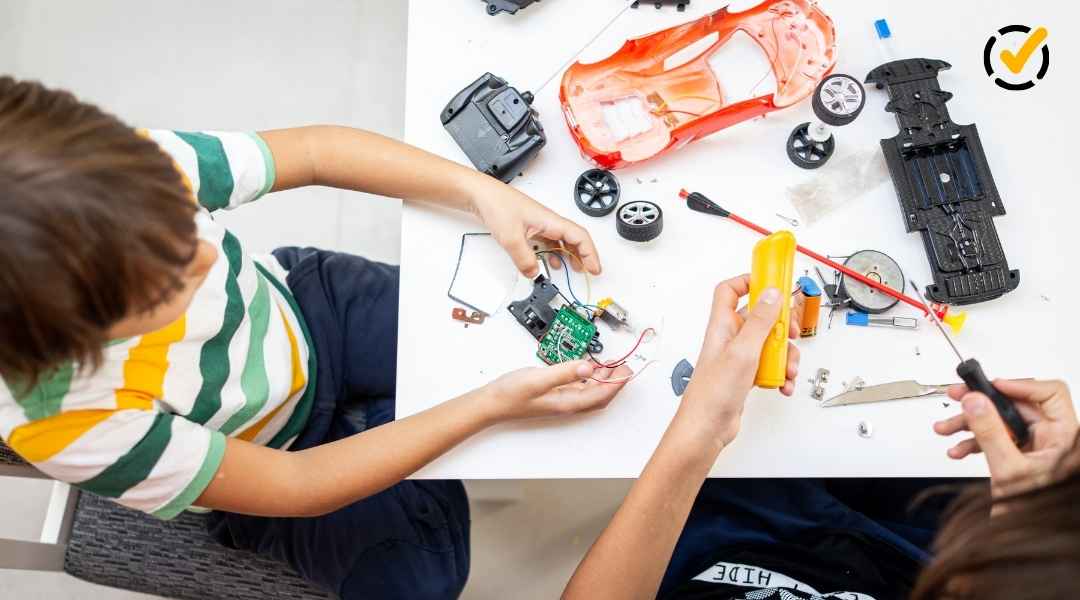
Two elementary students use a laptop and a colorful robotics model during a hands-on STEM activity involving technology and engineering.
October 8, 2026

STEM stands for science, technology, engineering, and math. And sometimes adding art turns STEM into STEAM. These disciplines give students opportunities to apply classroom learning to the real world, think critically, get creative, and solve problems through hands-on exploration.

National STEM Day is November 8, which makes it a great time to bring those skills together in your classroom. Whether you’re planning for the celebration or looking for STEM activities to use throughout the year, these ready-to-use Formative resources can help students design, build, test, analyze, and explore STEM careers.

Jump to

[Try hands-on National STEM Day engineering challenges](id-hands)

Key Takeaways

  • Design and build: Students create solutions to hands-on challenges using a variety of materials and STEM concepts.
  • Test and improve: Students collect observations or data to evaluate their designs and make evidence-based improvements.
  • Choose the right challenge: Activities cover flight, structures, forces, data analysis, and other STEM concepts, so you can select one that fits your instructional goals.

Hands-on engineering challenges give students a reason to put STEM skills into action. In these activities, they’ll work through the engineering design process as they plan, build, test, collect evidence, and improve their designs.

Design and test paper airplanes in a flight lab

Students can put the engineering design process into action with the Flight Lab: Paper Airplane Design Challenge. During this two-day STEM activity, they’ll design, test, and improve a paper airplane while collecting data from multiple trials.

Flight Lab

Take an airplane from first design to final flight

Students move through a complete engineering cycle as they turn a paper airplane design into a data-backed final model.

  1. 1 Design Build the first paper airplane model.
  2. 2 Test Collect data across multiple flight trials.
  3. 3 Analyze Graph the results and look for patterns.
  4. 4 Improve Use evidence to justify design changes.
  5. 5 Compete Put the final design to the test in a class tournament.
Resource Use it to
Flight Lab: Paper Airplane Design Challenge Guide students through designing, testing, analyzing, and improving a paper airplane.

Protect an egg with an engineering design challenge

Students can explore how gravity, force, and engineering design work together with the Egg Drop STEM activity. The challenge asks them to build a contraception that protects an egg when it’s dropped, giving them a concrete problem to solve through designing and testing. 

This formative serves as a project companion for a STEM activity focused on building a contraption to protect an egg from breaking when dropped. Students will explore principles of gravity, force, design, and engineering through various formative tasks.

Egg Drop Challenge

Can students engineer a safer landing?

Give students a familiar engineering problem with a very clear measure of success: protect an egg from breaking when it’s dropped.

The mission

Design and build a contraption that protects an egg during a drop.

STEM connections

  • Gravity
  • Force
  • Design
  • Engineering
Resource Use it to
Egg Drop STEM Activity Support students as they explore gravity, force, design, and engineering while developing an egg-protection solution.

Investigate racing science with a STEM pit crew challenge

Bring the science of auto racing into your classroom with the STEM Pit Crew Challenge. Students rotate through Daytona 500-themed stations to investigate how STEM concepts affect what happens on the track and in the pits.

Teams record measurements and observations during the experimental portion of the activity, then use their results to answer conceptual and calculation questions about aerodynamics, banking, centripetal force, and lap-time data.

STEM Pit Crew

Take STEM from the classroom to the racetrack

Students rotate through hands-on stations inspired by real racing science, gathering measurements and observations as they investigate what can affect performance on the track.

Station 1 Aerodynamics
Station 2 Banking & centripetal force
Station 3 Tire grip
Station 4 Lap-time data
Station 5 Pit-stop tradeoffs
Put the data to work Teams use their measurements and observations to answer conceptual and calculation questions.
Resource Use it to
STEM Pit Crew Challenge Guide teams through hands-on racing investigations, data collection, and follow-up conceptual and calculation questions.

Design a float with a hands-on STEM challenge 

Give students a creative way to practice engineering with the Float STEM Challenge. Students research ideas, plan their approach, build their designs, and prepare to share their finished work and explain how or why it would work for a parade like Mardi Gras or Thanksgiving.

Mardi Gras Float Challenge

Take an engineering idea from research to presentation

Students work through a longer engineering project while documenting how their ideas develop from initial research to a completed float design.

  1. 1 Research Explore ideas and gather information for the design.
  2. 2 Plan Document ideas and prepare an engineering approach.
  3. 3 Create Put the plan into action and build the design.
  4. 4 Present Prepare to explain and share the finished work.
Resource Use it to
Mardi Gras Float STEM Challenge Guide students through research, planning, engineering, documentation, and preparation for their final presentation.

Build a cardboard toolbox with recyclable materials

Challenge students to turn everyday recyclable materials into something functional with the Cardboard Toolbox Engineer activity. This 30-minute challenge gives students a chance to design and build a cardboard toolbox that can hold real, lightweight tools. 

30 minutes Recyclable materials

Engineer a toolbox that can do a real job

Students design and build a cardboard toolbox that can hold lightweight tools, using recyclable materials they can find at home or in the classroom.

Engineering design process

  1. 1 Ask
  2. 2 Imagine
  3. 3 Plan
  4. 4 Create
  5. 5 Test
  6. 6 Improve

Built-in checkpoints: Students submit their answers and drawings at each checkpoint before moving to the next step.

Resource Use it to
Cardboard Toolbox Engineer Guide students through a 30-minute engineering design challenge using recyclable materials and structured checkpoints.

Build and test a recon droid prototype

Bring robotics-inspired engineering into the classroom with the Recon Droid Prototype Engineering Challenge. Designed for high school students, this Star Wars-themed activity challenges teams to build a physical prototype using mostly recyclable or reused materials.

Formative becomes each group’s engineering design log. Students document plans, upload sketches and photos, record test results, and reflect on iterations. For an added challenge, teams can incorporate a moving part, simple machine, or basic robotics component when materials are available. Trying to stay screen-free? Print the activity to use offline instead!

Grades 9–12 Team challenge Recyclable materials

Give student teams a prototype mission

Teams build a recon droid prototype while using Formative as an engineering design log to capture evidence of their work from the first plan through testing and iteration.

1 Plan the prototype Document the team’s plan and upload sketches before building.
2 Build the droid Create the physical prototype using mostly recyclable or reused materials.
3 Test the design Record test results and upload evidence at the checkpoints.
4 Reflect and iterate Use test evidence to reflect on the design and document changes.
Level up the challenge: Add a moving part or simple mechanism—or incorporate a basic robotics component if one is available.
Resource Use it to
Engineering Challenge: Recon Droid Prototype Give student teams a shared engineering design log for plans, sketches, photos, test results, and reflections as they build and improve a prototype.

Design an indoor launcher and analyze the results

Turn testing and redesign into a data-driven STEM challenge with the Indoor Launcher Engineering Lab. Students use everyday materials to design a launcher, then test how well it performs by measuring distance and accuracy.

Indoor Launcher Lab

Launch, measure, graph, redesign

Students build an indoor launcher from everyday materials, then use performance data to decide how they can make the design better.

  1. Build Design a launcher Create a working model using everyday materials.
  2. Test Measure performance Collect distance and accuracy data from the trials.
  3. Analyze Graph the results Use the test data to examine how the launcher performs.
  4. Redesign Make an improvement Complete at least one redesign based on the evidence.
Engineering with evidence Students connect changes in their design to measurable results instead of relying only on whether a launch “looks” successful.
Resource Use it to
Indoor Launcher Engineering Lab Guide students through building a launcher, collecting distance and accuracy data, graphing results, and completing an evidence-based redesign.

Test engineering designs with a sugar skull challenge

Combine creative design with testing and iteration in the Sugar Skull Engineering Challenge. Student teams use a mold and their chosen method to build a skull, then put their design through the class strength test.

After recording the results, students improve their designs for a second iteration. They finish by explaining what they changed and how the data from testing supported that decision. 

Sugar Skull Engineering Challenge

Build it, test it, then make it stronger

Students use a mold and their team’s chosen method to create a skull, then use class test data to make an evidence-based improvement.

First iteration Build and test

Create the first skull design, test its strength using the class testing method, and record the results.

Second iteration Improve the design

Use the test data to decide what to change, then create an improved second version.

Explain the evidence Students explain what they changed and how their data supported the redesign decision.
Resource Use it to
Sugar Skull Engineering Challenge Guide students through building, strength testing, data collection, redesign, and an evidence-based explanation of their improvements.

[Explore circuits and robotics with STEM activities](id-circuits)

Key Takeaways

  • Build and troubleshoot circuits: Students test electrical setups, identify problems, and use evidence to determine how to fix them.
  • Design and program robots: Students work through the process of creating a robot for a specific task and reflect on each phase of their work.
  • Learn through testing: Both activities encourage students to apply STEM concepts by making something work, evaluating the results, and responding to what they discover.

Technology-focused STEM activities give students opportunities to learn by building, testing, troubleshooting, and programming. These two activities let students investigate how circuits work and apply robotics concepts to a design challenge.

Build and troubleshoot battery-powered circuits

Help students investigate what makes an electrical circuit work with the STEM Lab: Circuits with Battery-Powered Lights activity. They’ll build simple circuits, compare different circuit arrangements, and troubleshoot problems.

By the end of the lab, students should be able to explain what makes a circuit work, identify common faults, and use evidence from their testing to justify a fix.

Circuits Lab

Build a working circuit, then figure out what went wrong

Students progress from building a simple closed circuit to diagnosing and fixing circuit problems using evidence from their tests.

  1. 1 Light it up Build a simple closed loop that lights one section of battery-powered lights.
  2. 2 Compare circuits Investigate series and parallel setups.
  3. 3 Add a switch Modify the circuit by adding a switch.
  4. 4 Troubleshoot Use a step-by-step process to diagnose and fix circuit problems.
Success looks like this

Students can explain what makes a circuit work, identify an open circuit or short, and justify a repair using evidence from testing.

Resource Use it to
STEM Lab: Circuits with Battery-Powered Lights Guide students through building, comparing, modifying, and troubleshooting circuits while explaining their fixes with evidence.

Practice robotics skills with a robot design challenge

Give students a chance to apply robotics concepts with the Robot Design Challenge. They’ll work through designing, building, and programming a robot to complete a specific task.

Reflection questions throughout the activity ask students to think about each phase of the process, helping them connect the decisions they make while building and programming to their understanding of robotics concepts.

Robot Design Challenge

Take a robot from an idea to a programmed solution

Students work toward a specific task while applying robotics concepts across three connected phases of the challenge.

  1. 1 Design Plan a robot that can achieve the assigned task.
  2. 2 Build Turn the design into a working robot.
  3. 3 Program Program the robot to complete its specific task.
Reflection is built into the process

Students answer questions about each phase so they can reflect on their work and strengthen their understanding and application of robotics concepts.

Resource Use it to
Robot Design Challenge Guide students through designing, building, programming, and reflecting on a robot created to achieve a specific task.

[Build STEM knowledge and explore science careers](id-careers)

Key Takeaways

  • Understand engineering: Students explore what the engineering design process is and when people use it.
  • Connect STEM to the future: Students discover science careers and consider which paths may fit their interests.
  • See STEM beyond one activity: Both lessons help students connect classroom learning to how STEM skills and processes are used beyond a single challenge.

Not every National STEM Day activity has to involve building a physical prototype. Students can also explore how engineers approach problems and discover how science skills connect to careers they may have in the future.

These Formative lessons give students a chance to step back from the hands-on work and look at the processes and possibilities behind STEM.

Explore the engineering design process

Help students understand the thinking behind engineering challenges with a lesson on the engineering design process. They’ll explore what the steps are and consider when and why people use it to solve problems.

Pair this lesson with one of the hands-on challenges to give students a foundation for understanding the process they’re putting into practice.

Engineering Design Process

Explore how engineers approach a problem

Students investigate the engineering design process and determine when it is used.

Essential question

What is the engineering design process?

Try this pairing: Use this lesson before one of the hands-on engineering challenges to give students context for the process they’ll use as they design, test, and improve.
Resource Use it to
Engineering Design Process Introduce the engineering design process and help students consider when it is used.

Explore science careers and STEM pathways 

Help students connect science learning to possibilities beyond the classroom with a science careers lesson. They’ll learn about careers across STEM disciplines and consider which ones might be a good fit for their interests. Use this activity for National STEM Day to show students that STEM doesn’t just stand for school subjects, but also for real-world work.

Science Careers

Connect today's science learning to tomorrow's possibilities

Students explore careers in science and think about which possibilities might fit their interests.

Explore

Discover ways science can connect to different career paths.

Essential question

How could I use science in a career?

National STEM Day connection: Use the lesson to help students connect the STEM concepts they study now with ways they could use science in the future.
Resource Use it to
Science Careers Introduce students to careers in science and help them consider which possibilities might be a good fit.

Bring National STEM Day activities into your classroom with Formative

You don’t have to fit every STEM activity into November 8. Choose a challenge that connects to what your students are learning, or use National STEM Day as a starting point for more hands-on science, technology, engineering, and math experiences throughout the year.

You can also pair activities to build students’ understanding. Introduce the engineering design process before a hands-on challenge, or follow a design activity with the science careers lesson to help students connect the skills they practice to ways people use STEM beyond the classroom.

With Formative, you can assign these National STEM Day activities digitally or in print, collect students' responses and project evidence, and use what you learn to guide your next instructional steps. Sign up for Formative to start exploring these STEM activities with your students.

Formative platform logo

One platform for everything you need to instruct, assess, and adjust in real time

Try Formative for Free

If you like this article...